CamLitTiếng Việt

Light up every take.

Record sales videos on your iPhone without ten retakes.

CamLit puts your script right under the camera and polishes your look and voice while you record. Say every word, look into the lens, look your best. Made for coaches, shop owners and creators who film on their own.

Get early access

CamLit is in beta on iPhone through TestFlight. Leave your email and we will invite you when a spot opens. There is a free version.

CamLit recording screen with the script under the cameraCamLit live beauty controls

In beta on TestFlight · Made for iPhone · English, Vietnamese and 40+ languages · Free version available

Does this sound like you?

You write the script, hit record, and forget the second line.

  • You read from the screen and the playback shows your eyes drifting down.
  • It is early, no makeup, harsh room light, and you skip filming today.
  • The picture looks fine but the fan and the traffic are in every line.
  • You stare at a blank page for an hour, not sure what to say.
  • After filming you still add captions, then upload to each platform and write each caption again.

One 60-second video, a whole afternoon gone. You are not lazy. Filming is just too heavy.

You have plenty to say. You need a lighter way to film it.

You know your customers, your product and your craft better than anyone. What holds you back is the small stuff around the camera: remembering lines, looking at the right spot, fixing the light, fixing the sound, adding captions, posting.

Each small job takes another app and another retake. Together, they turn video into the thing you avoid.

CamLit brings those jobs into one iPhone app, so you are left with one job: talking.

From idea to post, in one app

1. Prepare your words

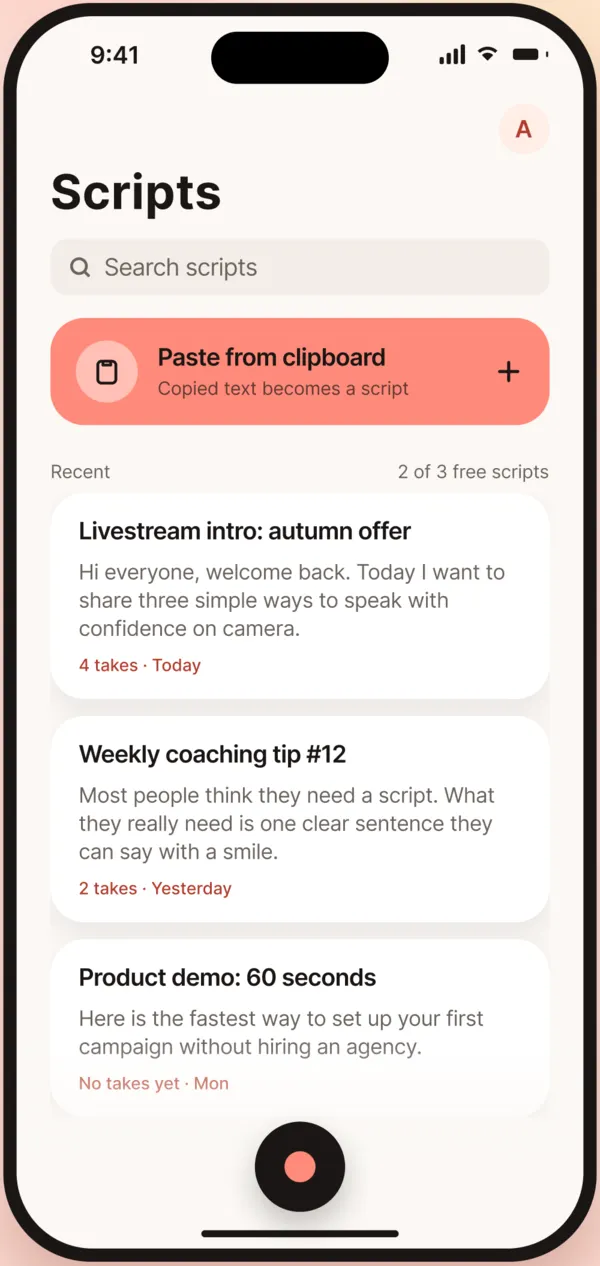
  • Script library Available nowPaste or write your script in the app. It counts words and estimates seconds, so you know the length before you film.
  • Rewrite from a reel Available nowSaw a reel you like? Pick it from Photos and CamLit drafts three new scripts in your own voice from its structure. You edit instead of starting from nothing.
  • Write from photos Coming soonSnap a dish, a product or a room. CamLit drafts the intro and leaves blanks for details only you know.
  • Voice assistant Coming soonStanding away from the phone? Say "bigger text" or "slow down" instead of walking back to tap.
2. Record

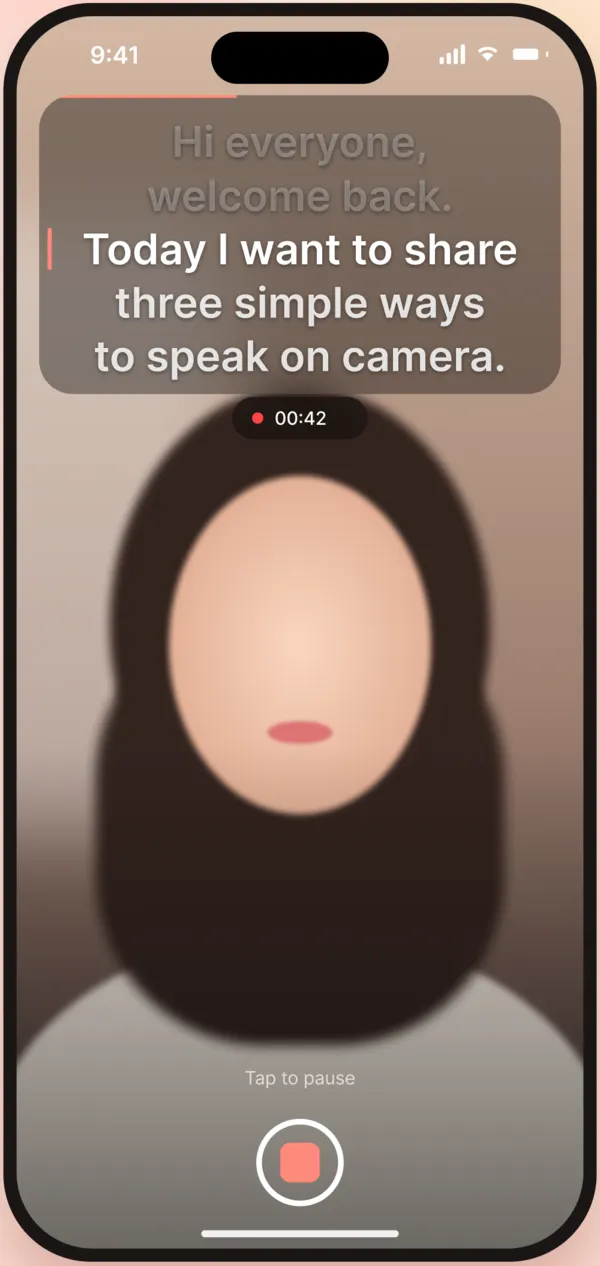
  • Teleprompter by the lens Available nowYour script scrolls right under the front camera, so your eyes stay near the lens. The text never appears in the video.
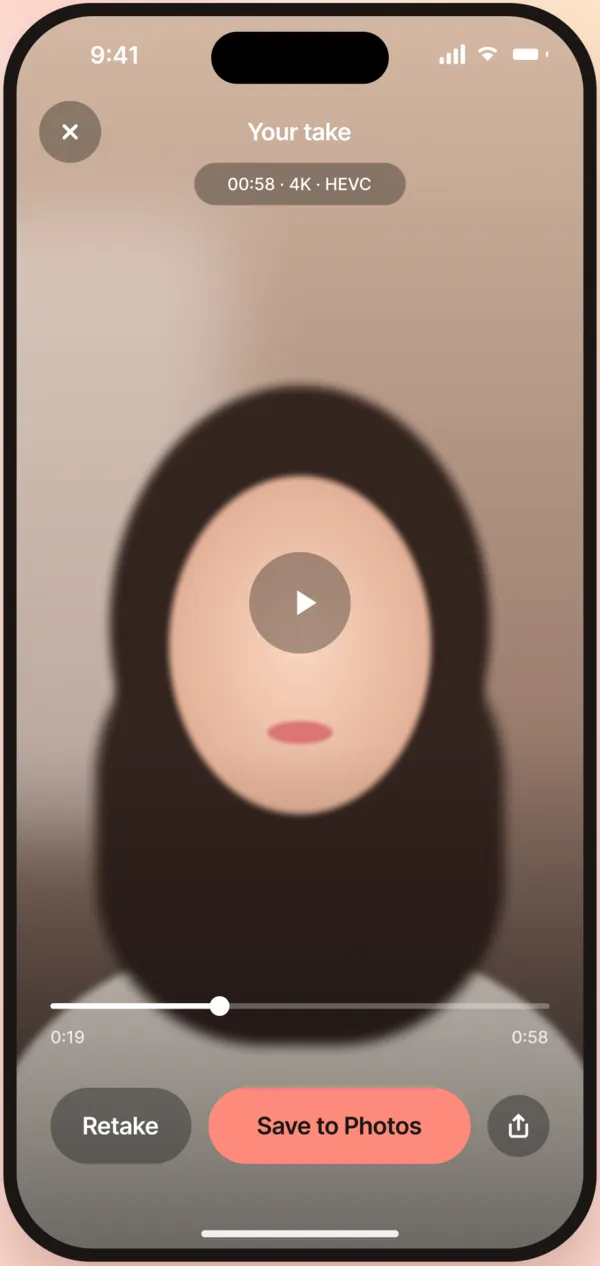
  • One-tap capture Available now3-second countdown, record, review, then Keep or Retake. Saved straight to Photos.
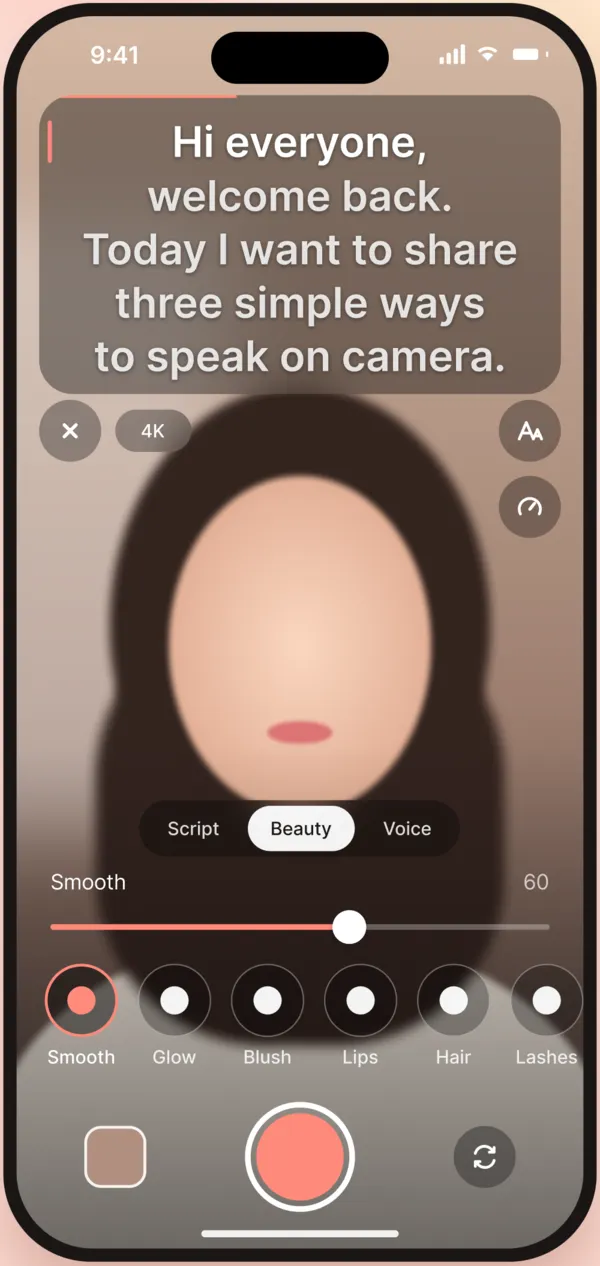
  • Live beauty Available nowSmooth skin, a brighter face, warm tone, sharp eyes and hair. No filtering afterwards.
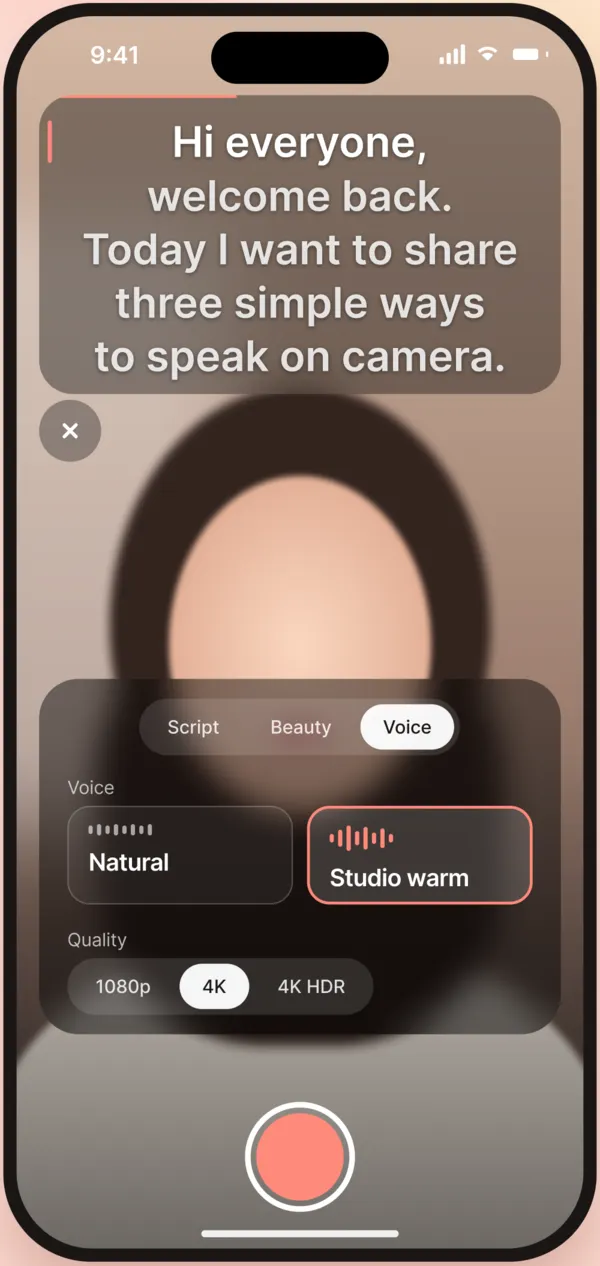
  • Clear, warm voice Available nowLess background noise, a warmer voice, steady volume. Sound that matches the picture.
  • Vertical 4K Available nowSharp video with room to crop for every platform.
  • Handheld stabilisation Coming soonWalk and talk with smoother footage.

3. Edit

  • Titles and word-by-word captions Coming soonShort caption lines that highlight each word as you say it. Viewers on mute can still follow.
  • Music that ducks under your voice Coming soonCommercially licensed tracks that lower while you talk and come back when you pause.

4. Post and measure

  • Quick multi-platform sharing Coming soonCaption and hashtags copied for you, then TikTok, Instagram, Facebook or YouTube opens so you can post.
  • Auto-posting, scheduling, performance reports Awaiting platform approvalConnect channels, schedule posts, see which videos work. YouTube, TikTok and Meta must approve this first.
CamLit voice controlsCamLit script libraryCamLit video review screen

One filming session, before and after CamLit

Before

Trying to remember lines, forgetting, retaking

With CamLit

Your script scrolls under the camera

Before

Eyes drifting down to read

With CamLit

Eyes near the lens while you read

Before

Skipping the camera when you feel unready

With CamLit

Brighter skin and warm tone while you record

Before

Fan and traffic noise in every line

With CamLit

A clearer, warmer, steadier voice

Before

Staring at a blank page

With CamLit

A draft from a reel you like

Before

Hunting for the file after filming

With CamLit

Keep or retake, saved straight to Photos

CamLit is for you if

  • You are a coach, teacher, consultant, shop or cafe owner, and you film videos to win customers.
  • You film on an iPhone, usually alone, without a crew, lights or an external mic.
  • You want to post every week without losing a whole day.
  • Create content daily? Rewrite from a reel and multi-platform sharing are two jobs CamLit makes quick.
  • Sell food, rooms or products? Coming soon: snap a photo and CamLit drafts your intro.

Not for you yet if

  • You use Android. CamLit is iPhone only for now.
  • You need multi-track editing or deep colour grading. CamLit is built for talking-to-camera videos, not to replace an editing suite.

Turn the camera on. Lighter this time.

Save your spot for the CamLit beta on iPhone.

Get early access

FAQ

Is CamLit free?

There is a free version with the teleprompter and basic beauty. CamLit Pro is paid and unlocks 4K, full beauty, the clear warm voice and unlimited scripts. You see the details in the app, and nothing is charged until you choose a plan.

When can I use it?

CamLit is in beta through TestFlight. When a spot opens, we email you an invite with install steps. You will also hear first when it reaches the App Store.

Do I need the latest iPhone?

CamLit runs on iPhone. If the phone gets hot, it drops from 4K to 1080p so your video does not stutter.

Does the script show up in my video?

No. The script is only on your screen. The saved video is clean.

Are my videos uploaded anywhere?

No. Videos save to Photos on your iPhone. You decide where to post.

I am not good with tech. Can I use it?

Open the app, paste your words, tap record. The app is available in English, Vietnamese and 40+ other languages.

Do I need an account?

No. Try it without an account, or sign in with one tap using Apple or Google. You can delete your account inside the app.

I am camera-shy. Will this help?

CamLit does not do the talking for you. But when you do not have to memorise lines or worry about skin and light, what is left is talking to your viewer like a regular customer.

Straight talk, so you know what to expect

  • CamLit does not promise your video will go viral or sell a certain amount.
  • Features marked "Coming soon" and "Awaiting platform approval" are not in the current beta.
  • CamLit is in beta. You may hit bugs, and your feedback makes the app better.

Your words, in their best light.

Leave your email and CamLit will invite you to the iPhone beta when a spot opens.

We only use this email for your invite and CamLit launch news. Unsubscribe any time. See Privacy.